


favorited
3.7938.00 Reviews
App Specs
- Version
- 2.0.128
- Updated On
- License
- Free
- Downloads
- 500,000+
- Developer
- favorited.com
- Categories
- Lifestyle
- Platform
- Android, iOS
Screenshots
 Analysis by AppCompare
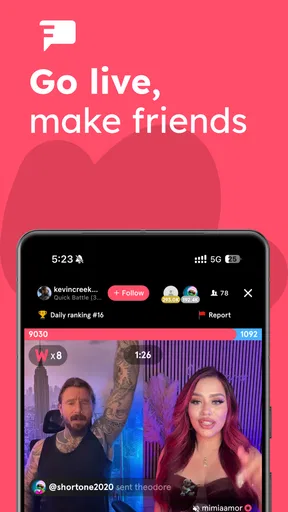
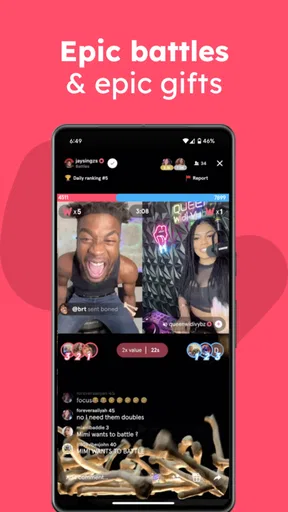
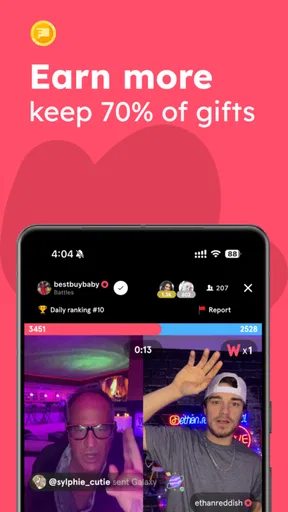
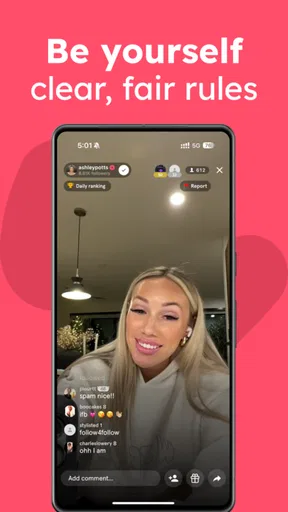
I tend to judge a livestream community app less by its promise of constant activity and more by whether it gives me a reason to return when I have only a few spare minutes. Favorited is a free lifestyle app from favorited.com, built around joining live social entertainment rather than quietly collecting links or posts. That difference matters: it suits someone who wants to drop into a shared moment, but it is less compelling if what you need is a private, organized archive of things to read later.
What the live format changes
With a livestream, timing is part of the experience. You are not simply browsing a finished video library at your own pace; you are choosing whether to spend attention on something happening now and, potentially, on other people watching alongside you. I find that immediacy appealing when I want a more social break than scrolling through a familiar feed. It also means the app’s value depends on whether the live content and community feel relevant to me at the moment I open it.
That makes Favorited a different choice from a standard social network or an on-demand video service. A regular feed is convenient when I want to scan updates quickly, while recorded videos are easier to pause and resume around a busy day. A live community can feel more present, but it asks me to show up at the right time and accept that I may not control the pace. I would choose it for participation and atmosphere, not as a replacement for every kind of video or social app.
How I would fit it into a day
Imagine having a short break after dinner and wanting something more engaging than another round of passive scrolling. I would open Favorited, see whether a live session interests me, and stay only while it holds my attention. That is a low-pressure way to try a community app: treat the first visit as a quick browse rather than making it a new daily commitment. If the experience feels lively and welcoming, I might return when I have more time; if not, I can leave without having built my routine around it.
For someone deciding whether to install it, the practical question is not simply “Is live video interesting?” It is “Do I want a social, real-time experience, and am I comfortable exploring a community before knowing whether it fits me?” People who enjoy spontaneous online interaction may find that worthwhile. If you mainly want quiet entertainment, dependable replay options, or a tool for saving useful material, a conventional streaming service, a familiar social feed, or a bookmarking app may suit you better.
Activity, attention, and expectations
I would approach any livestream app with flexible expectations about speed. Opening a community app can involve more than loading a static page: live media and active conversations are naturally more demanding than reading text or browsing saved items. The useful test is how it feels on your own connection and device, especially when you enter a session at a busy moment. I would not judge the whole experience from one slow start, but repeated delays that interrupt viewing or make it hard to follow a conversation would be a fair reason to move on.
The same goes for stability. A livestream is less forgiving of interruptions than a saved article: a brief pause can break the flow or make you miss what was happening. If a session stalls, I would first check whether other media apps are also struggling and whether my connection is steady, then try rejoining rather than repeatedly tapping controls. That simple approach helps separate a temporary network hiccup from a pattern that makes the app unreliable for me. I would also avoid assuming that every moment will feel equally smooth, since live activity changes as sessions and audiences change.
Worth Reading Before You Choose

Flipboard Shows What News Apps Must Do Beyond the Feed

Switching to Android Auto Means Rethinking Your Driving Routine

Google Calendar Makes a Crowded Week Easier to Manage

Ludo King Makes the Most of the Minutes Between Plans

Baby Panda World Brings Quick Play to Modern Phones, but Its Game Library Feels Busy

ESPN’s Live Game View Makes Following Close Games Easier
Choosing when and how to use it
A small but useful habit is to decide what I want from a visit before opening the app. If I have only a few minutes, I can browse briefly and leave as soon as I have had enough; if I want to participate, I can give a session more attention instead of splitting it with several other tasks. This matters because live content can pull me into “just one more minute,” even when I had intended to check in quickly. Keeping a clear purpose makes the app easier to fit around work, study, or family time.
I would also think about the setting. A live social experience is naturally better when I can pay attention and feel comfortable being part of a public digital space. It is not my first choice when I need silence, concentration, or something that can be stopped and resumed without losing context. For commuting or waiting, it may work as an occasional diversion, but I would not rely on a live session as my only entertainment if my connection is inconsistent or I need predictable offline playback.
Who is likely to enjoy it
Favorited is most appealing to people who like discovering live communities and are willing to explore before settling into a routine. It may also suit someone who finds ordinary feeds impersonal and wants the possibility of shared, real-time attention. On the other hand, people who dislike social uncertainty, prefer fully curated viewing, or want content available on demand may find the format more frustrating than refreshing. You do not need to turn every app into a habit; sometimes a quick trial is enough to learn whether its style fits you.
It is also sensible to be deliberate about spending. The app is free to download, but it includes optional in-app purchases ranging from around fifty cents to five hundred dollars per item. That is a broad range, so I would check the price shown for any purchase before confirming it and use the app without buying anything until I understand what I actually value. The presence of purchases does not mean a user has to spend, but it is worth keeping in mind if you prefer apps with no paid extras.
Getting Started with Favorited
Jumping into Favorited is like a breath of fresh air for your cluttered mind. The interface is sleek and intuitive. When I first opened the app, I was pleasantly surprised by how user-friendly it was. Setting up an account took just a couple of minutes, and I was ready to dive in.
The app allows you to bookmark anything – and I mean anything. Whether it’s a website, a cool gadget on sale, or a tweet that made you chuckle, you can save it all in one place. What I particularly loved is the cross-platform synchronization. I could save a link on my laptop and access it later on my phone without any hassle. How cool is that?
Features Worth Highlighting
Now, let’s talk about some standout features. The app isn’t just a storage space; it’s more like a digital concierge. Here’s a closer look at what makes it tick:
- Tagging System: You can tag every item you save, making it a breeze to find later. No more hunting through endless lists!
- Customizable Folders: Organize your bookmarks into folders that suit your needs. Whether you’re sorting by category, mood, or urgency, it’s all up to you.
- Sharing Options: Want to share a list of your favorite podcasts with a friend? Easy peasy. You can send your entire folder or just a single item with a simple tap.
- Offline Access: This is a game-changer. Access your saved items even when you’re out of Wi-Fi range. Perfect for those long flights or road trips.
Real-Life Use Cases
Let me share how I’ve been using Favorited in my daily life. As someone who writes a lot, I come across tons of articles and research papers. Earlier, I’d lose track of them in a maze of browser tabs. Now, I’ve got a dedicated folder for each of my writing projects. It’s like having a personalized library at my fingertips.
Another fun use? Planning vacations. With Favorited, I compile all my travel research, from hotel options to must-visit restaurants, in one handy spot. When I’m finally on vacation, all I need is my phone to access everything I’ve planned. It’s a traveler’s dream.
Why You’ll Love It
If you’re someone who thrives on organization (or desperately needs it), Favorited will become your new best friend. The app’s simplicity doesn’t compromise on functionality. Plus, the developers are constantly rolling out updates, which means it’s only going to get better from here.
One of the most appealing aspects is its ability to integrate with other apps. I can save content directly from my browser or other apps like Pocket and Evernote. This makes it incredibly versatile, and you won’t feel trapped in a closed ecosystem.
Final Thoughts
In a world where digital clutter is the norm, Favorited offers a refreshing solution. It’s perfect for anyone looking to streamline their digital life without losing the joy of discovery. Whether you’re a student, a professional, or someone who just loves keeping things tidy, this app is a worthy addition to your arsenal.
So, if you’re tired of losing track of your digital finds, give Favorited a whirl. Trust me, your future self will thank you.
Version, age suitability, and the final call
The app’s current version is 2.0.104, and it runs on Android 7.1 or later, which gives owners of older compatible devices a chance to try it without needing the newest operating system. The Teen content rating is another useful point for households deciding whether it is appropriate for a younger user. I would still treat any live community as a social space that calls for sensible boundaries: a rating is a guide, not a substitute for a family conversation about online interaction and purchases.
There is already a sizeable audience around the app: it has passed half a million installs, and its average rating is 3.8 from roughly 4,900 ratings, alongside about 893 written reviews. I read that combination as a reason to approach it with realistic expectations rather than assume the experience will suit everyone. Community apps are personal by nature; what feels lively and welcoming to one person may feel busy or uninteresting to another. I would use the first few visits to decide based on the actual sessions I encounter, not on popularity alone.
My practical verdict is that Favorited makes sense if the idea of finding and joining live social entertainment sounds enjoyable, and you are happy to give it your attention in the moment. It is a weaker fit for someone looking for a quiet utility, guaranteed uninterrupted viewing, or an archive-first experience. Start with a short visit, pay attention to how it behaves on your device and connection, and keep purchases optional. If the live format clicks, it can become a pleasant way to spend a spare moment; if you prefer content on your own schedule, a more conventional on-demand option will probably serve you better.
Pros
- User-friendly interface
- easy to navigate.
- Seamless integration with social networks.
- Customizable notification settings.
- Offers personalized content recommendations.
- Supports multiple languages for wider reach.
Cons
- Limited offline access to content.
- Occasional bugs in the latest update.
- Ads can be intrusive at times.
- Requires constant internet connection.
- Some features locked behind a paywall.
FAQs for favorited
What is Favorited and how does it work?
Favorited is an app designed to help you organize and manage your favorite items, whether they are products, places, or experiences. By allowing you to categorize and save your favorites in one place, it simplifies finding and accessing them later. The app provides personalized recommendations based on your preferences and browsing history.
Is Favorited free to use or are there any in-app purchases?
Favorited is free to download and use, offering a wide range of features at no cost. However, it also offers premium features through in-app purchases, such as advanced customization options or ad-free browsing. These purchases are optional, allowing users to decide if they want to enhance their experience.
How secure is my data on Favorited?
Favorited prioritizes user privacy and data security. The app uses encryption to protect your information and does not sell your data to third parties. Users can also adjust privacy settings to control what information is shared. Regular updates ensure the app complies with the latest security standards.
Can I share my favorite lists with friends on Favorited?
Yes, Favorited allows you to share your curated lists with friends and family easily. You can share via social media platforms, email, or direct links. This feature makes it simple to recommend products or places, ensuring your loved ones can access your favorite discoveries quickly.
What platforms is Favorited available on?
Favorited is available on both Android and iOS platforms, ensuring a seamless experience across devices. It supports a wide range of devices, offering consistent functionality whether you use a smartphone or tablet. This cross-platform compatibility allows users to access their favorites anytime, anywhere.


